Ever wanted to inspect SSL traffic? Curious about how another app talks with its backend? Charles Proxy can help with that!
Charles Proxy provides you with the capability to intercept and view SSL traffic.

Understanding SSL Traffic Interception
SSL/TLS is a cryptographic protocol that ensures secure communication over computer networks. It encrypts data transmitted between clients and servers, protecting it from eavesdropping and tampering. While SSL/TLS encryption enhances security, it can also pose challenges when debugging network requests and responses.
SSL traffic interception involves capturing and decrypting SSL-encrypted communication between a client and a server. By intercepting SSL traffic, you gain visibility into the contents of encrypted requests and responses, allowing you to diagnose issues, inspect payloads, and troubleshoot network-related problems effectively.
Charles Proxy
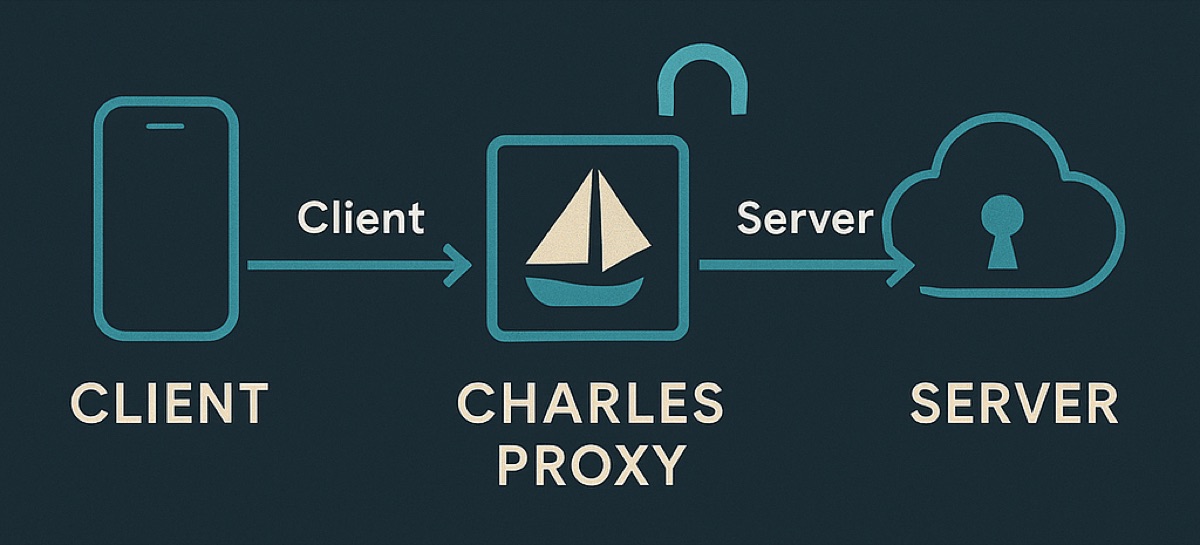
Charles Proxy is a powerful HTTP/HTTPS proxy tool that enables you to monitor, intercept, and analyze network traffic between devices and servers. With its SSL proxying feature, Charles Proxy can intercept SSL traffic, decrypt it, and present it in a human-readable format for inspection.
Charles Proxy supports:
-
SSL Proxying: Charles Proxy acts as a man-in-the-middle proxy, intercepting SSL traffic between clients and servers.
-
Request and Response Inspection: You can view detailed information about HTTP requests and responses, including headers, payloads, and timing data.
-
Breakpoints: Charles Proxy allows you to set breakpoints on specific requests, enabling you to inspect and modify traffic in real time.
-
Repeat Requests: You can replay HTTP requests, making it easier to reproduce and debug issues.
Step 1: Installation and Setup
- Download and install Charles Proxy from the official website.
- Launch Charles and configure your device to connect to Charles as a proxy.
Step 2: Configure iOS Device to Trust Charles Root Certificate
- On your iOS device, go to Settings > Wi-Fi.
- Tap on the connected Wi-Fi network and scroll down to the HTTP Proxy section.
- Select Manual and enter the IP address of your computer running Charles and the port number (usually 8888).
- Open Safari on your iOS device and visit http://chls.pro/ssl.
- Follow the instructions to install and trust the Charles Root Certificate.
Step 3: Start Intercepting SSL Traffic
- In Charles, navigate to Proxy > SSL Proxying Settings.
- Add the domain or host you want to intercept SSL traffic for.
- Enable SSL Proxying for the specified host.
- Start recording in Charles by clicking the Record button.
- Perform actions in your app or browser that trigger SSL traffic.
- Charles will intercept and display SSL traffic in the SSL Proxying tab.
Using Charles Proxy for Reverse Engineering
By intercepting and inspecting network requests made by the application, you can gain insights into its behavior, API endpoints, and data flow. This information is valuable for understanding how the application interacts with external services and can aid in reverse engineering its functionality.
Final Thoughts
Whether you're debugging API requests, analyzing web traffic, or reverse engineering applications, Charles Proxy empowers you with the visibility to get things done.
Remember, anyone can use this to get insight into how your app works and probe your APIs. One way you can prevent others from leveraging this against you is by implementing certificate pinning.